

Work in Webflow like you work with real CSS
Break the chain! Of Webflow's combo classes! Apply real utility classes without worrying about wrong style inheritances.
ClassFlow shows you the rule you are actually editing — as CSS
— and turns a combo like .flex.gap-4 into a real standalone
.gap-4 that works on any element.
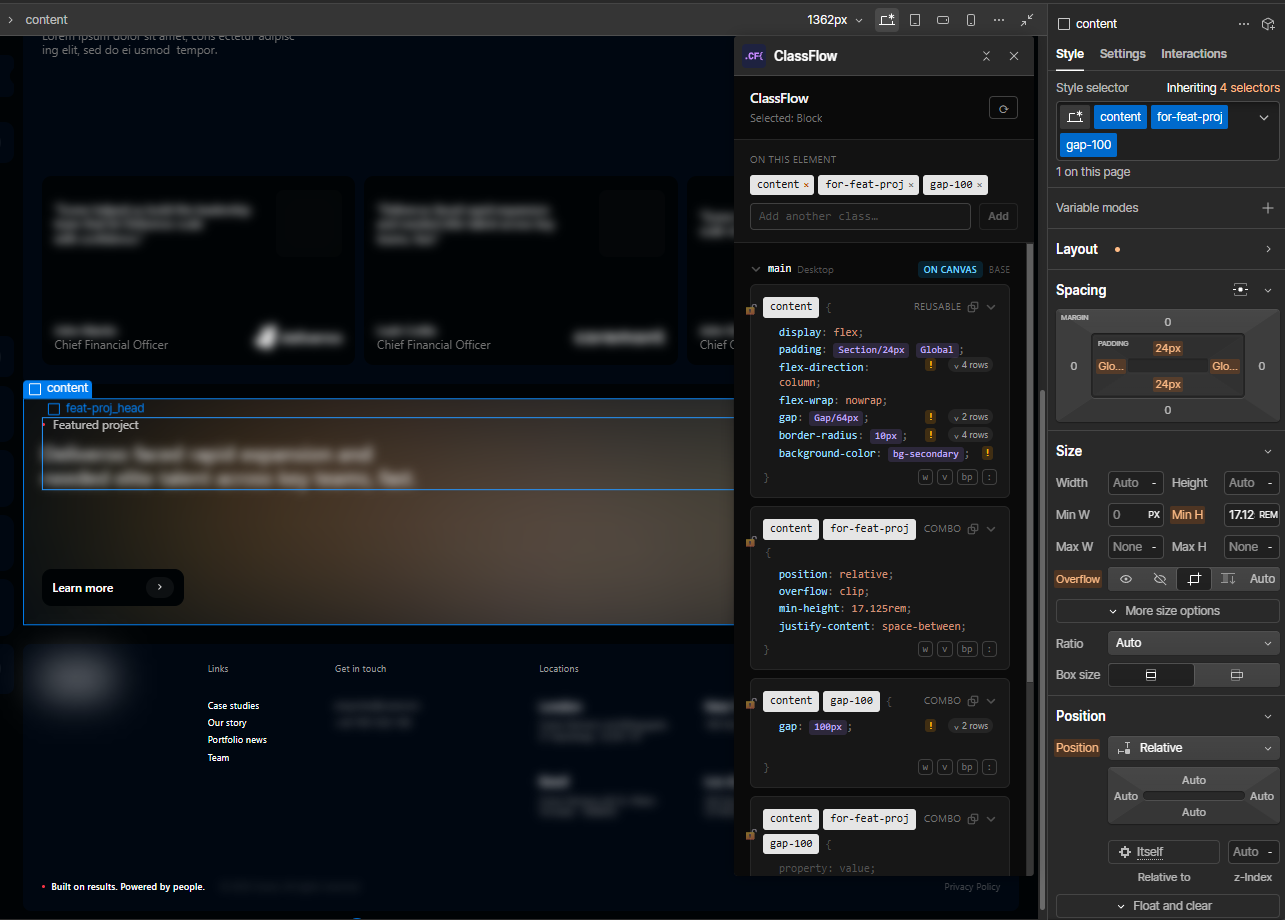
Table of contents
What is this chain?
Add flex to an element in Webflow. Then add gap-4. Then items-center.
It looks like three classes. It isn’t. Webflow gives your element a chain, where every class after the first is a combo built on the ones before it:
.flex {
}
.flex.gap-4 {
}
.flex.gap-4.items-center {
}
The gap you just set didn’t land on gap-4. It landed on .flex.gap-4, a selector that only matches an element carrying both. Put gap-4 on something else and nothing happens, because .gap-4 was never written. Webflow won’t tell you. The class list looks identical either way.
This is what makes utility classes quietly fail in Webflow, and it’s what ClassFlow is for.
ClassFlow shows you the rule you’re actually editing, as CSS, and offers to make .gap-4 a real standalone class: one that works on any element, forever, like a rule in a stylesheet.
What you can do with ClassFlow
See every rule that styles the selected element. One card per rule, in cascade order, written as CSS: the combo, the standalone, the tag rule.
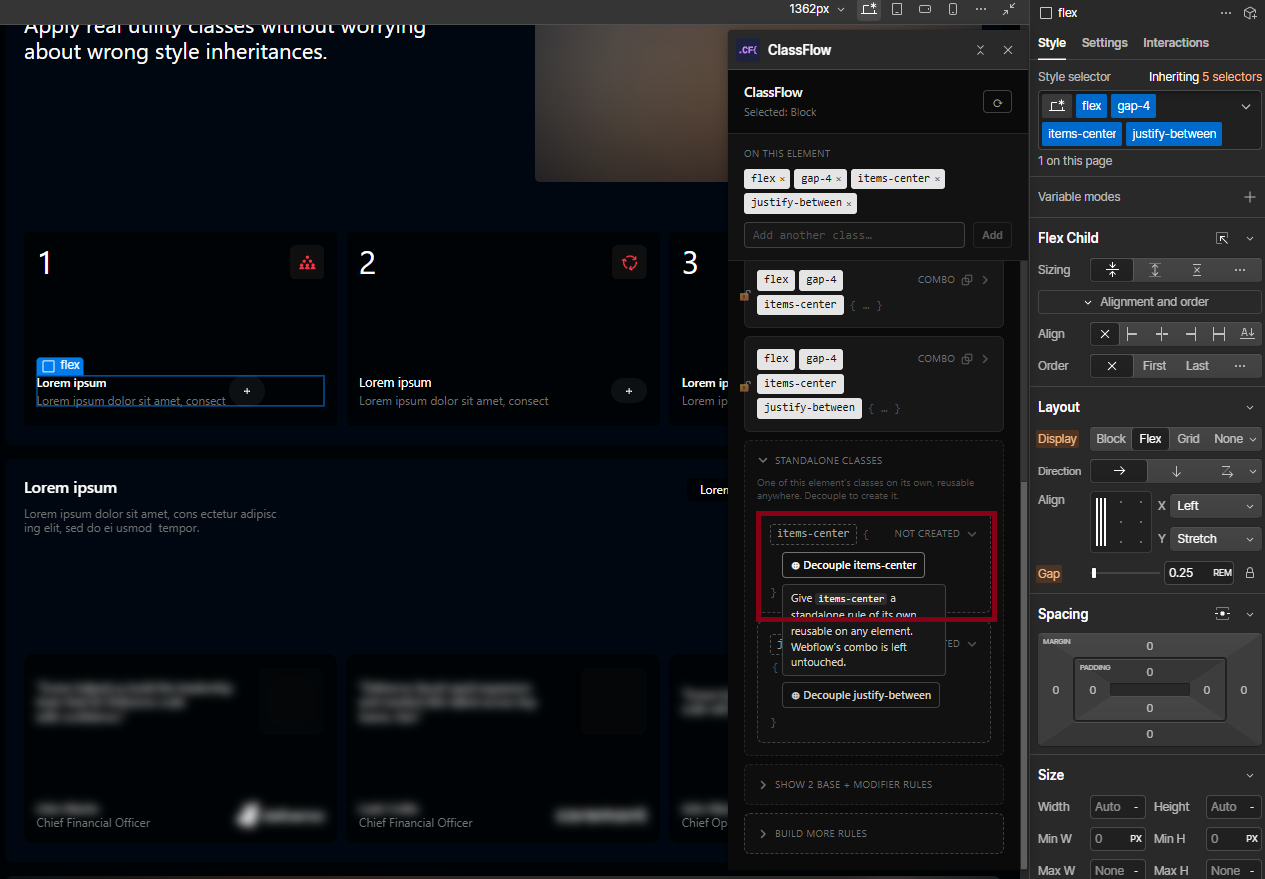
Decouple a class. The card for .gap-4 sits there greyed out, saying: this could be its own class. One click makes it real. Your existing elements keep working, because the standalone applies to everything carrying the name, including the elements that carry it through a combo.
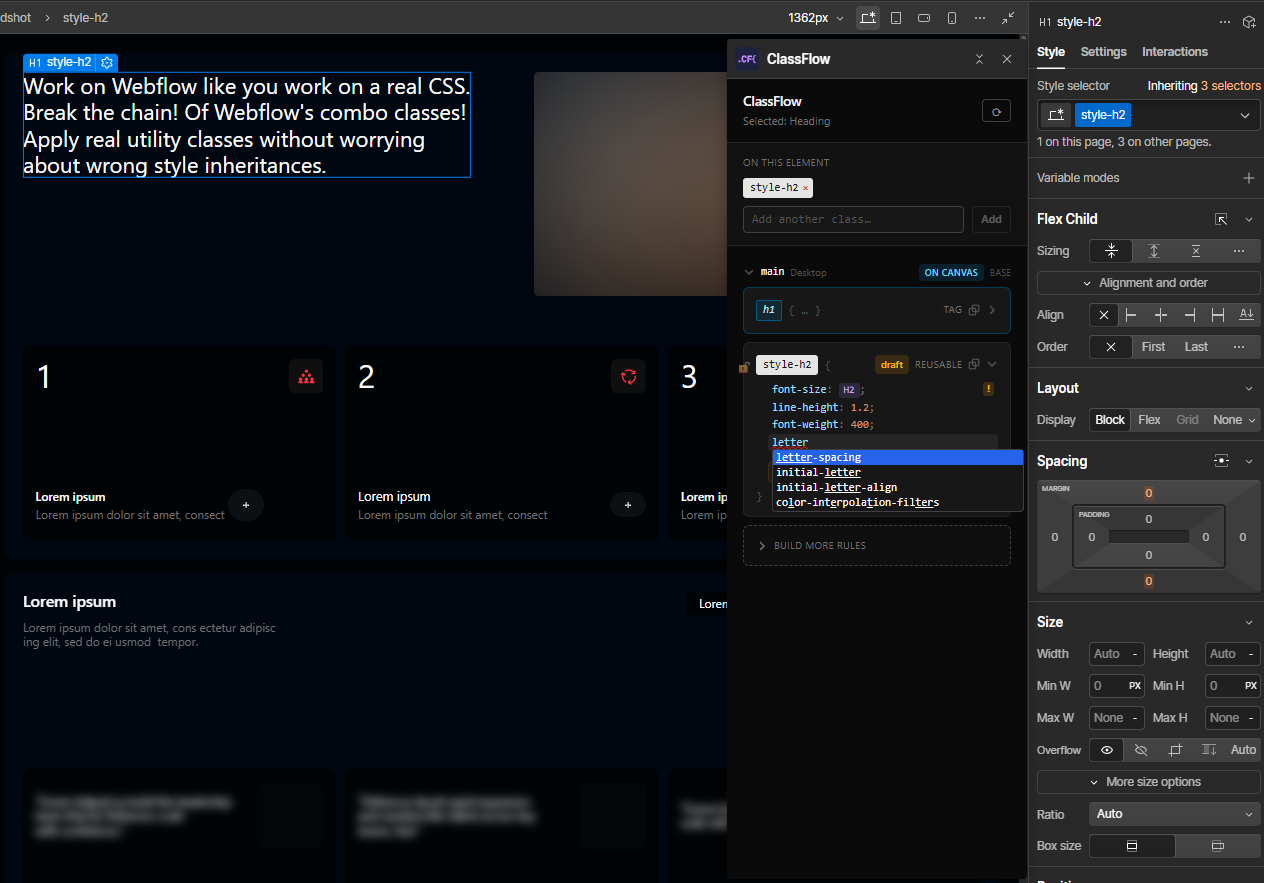
Edit rules as CSS text. Type padding: 10px 20px and press Enter. Syntax highlighting, and autocomplete over every property Webflow supports.
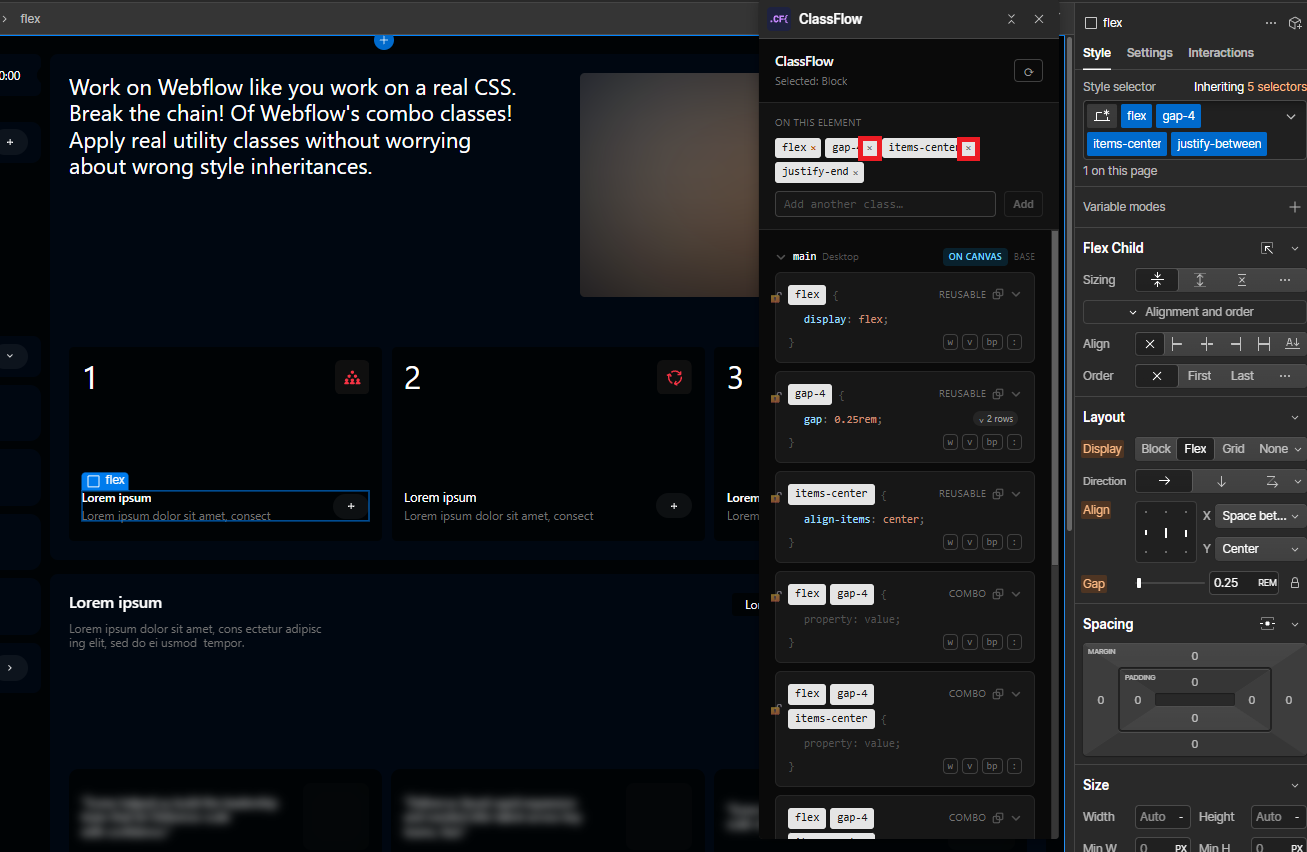
Literally break the chain. Remove a class from the middle of a chain. Turn .flex.gap-4.items-center.justify-between into .flex.items-center.justify-between without the remove-everything-then-add-it-back dance.
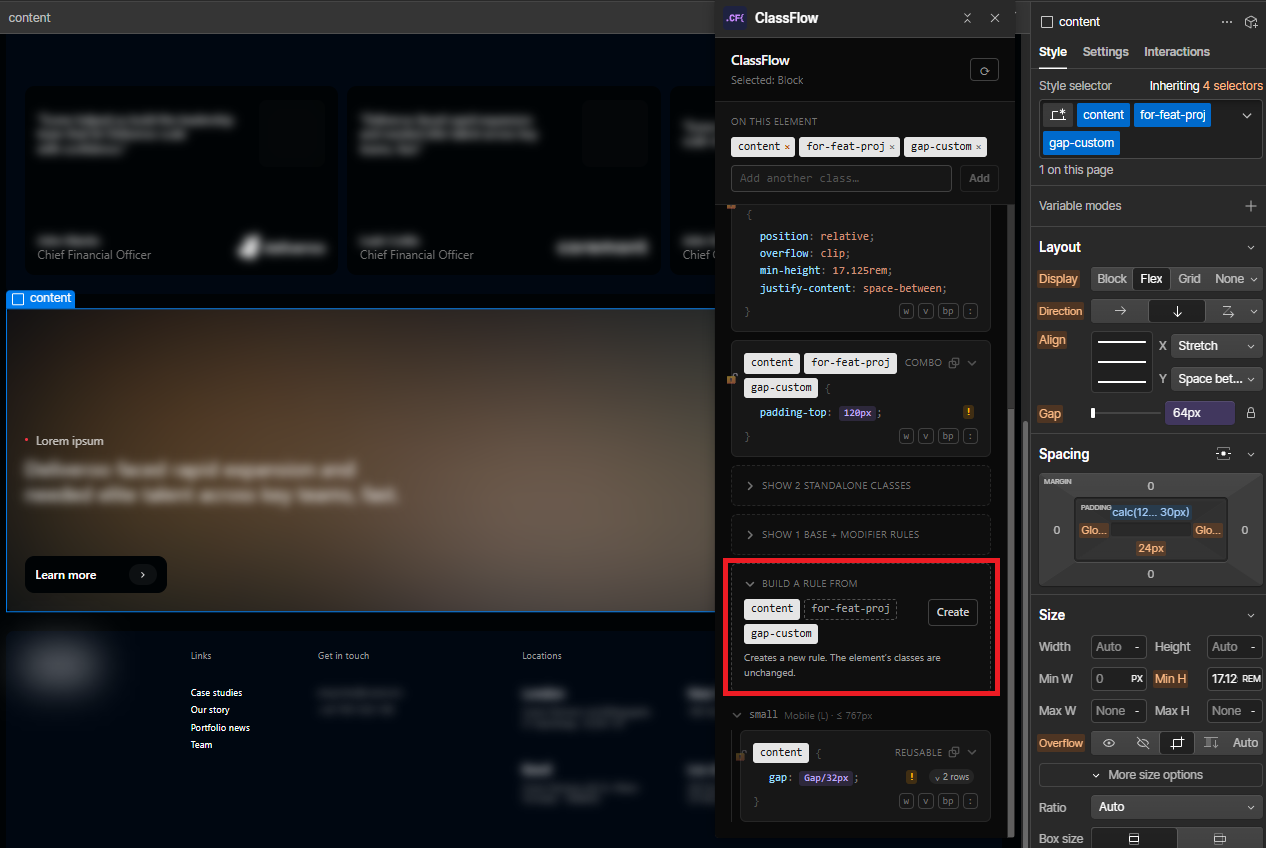
Build a rule from any combination of classes. Not just the chain Webflow made. Pick .card and .is-featured from an element carrying four classes, and that rule is yours.
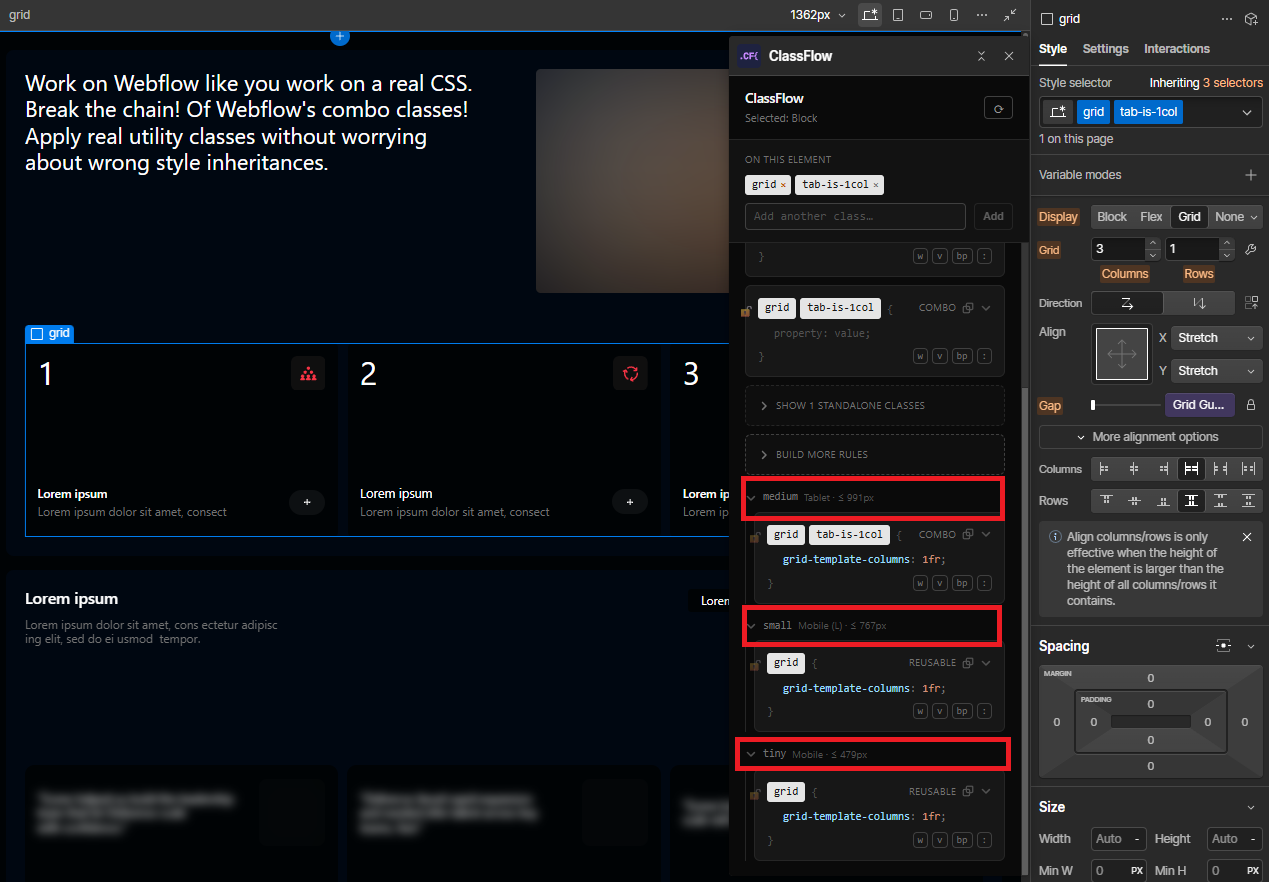
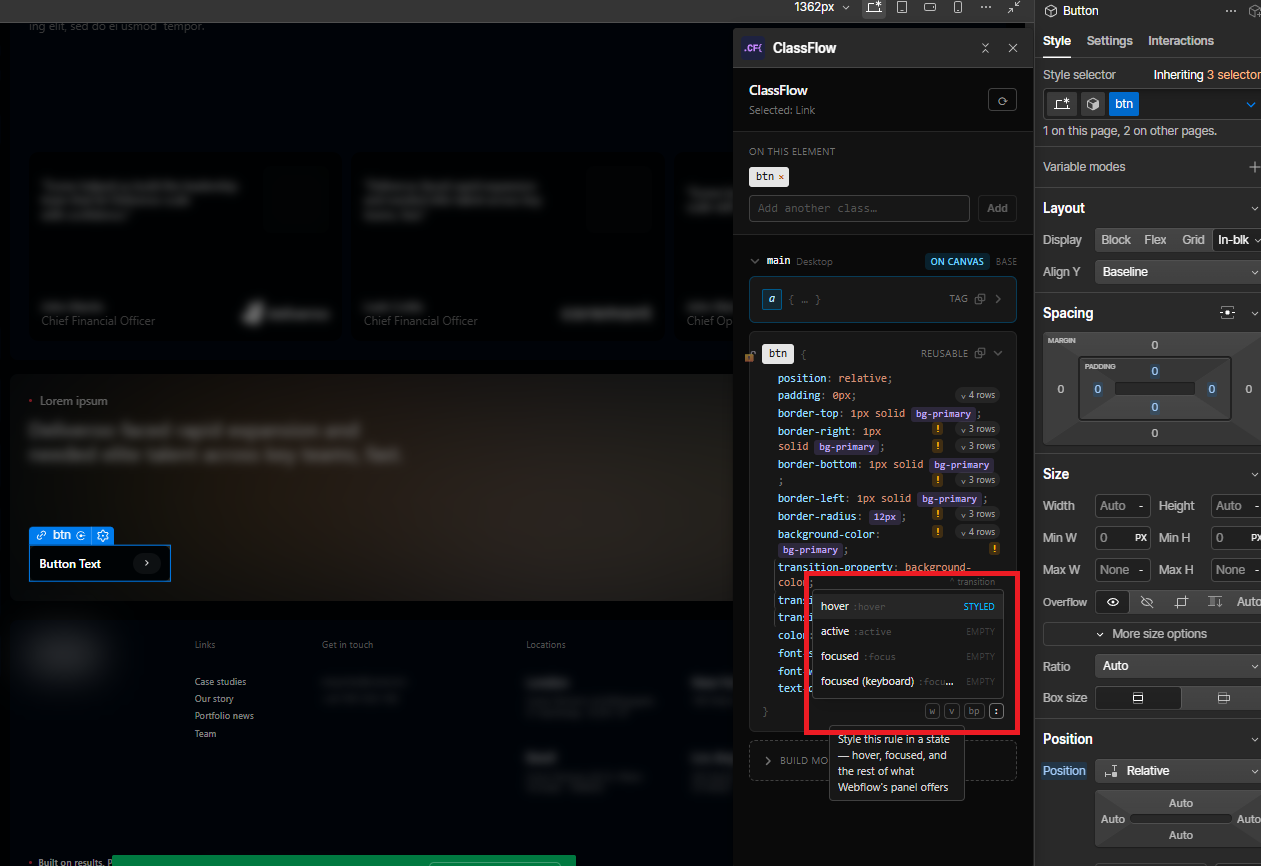
Every breakpoint and every state. A class is a grid of independent surfaces: base, tablet, mobile, :hover, :focus. ClassFlow edits any cell of it from one panel, and shows you which ones actually declare something.
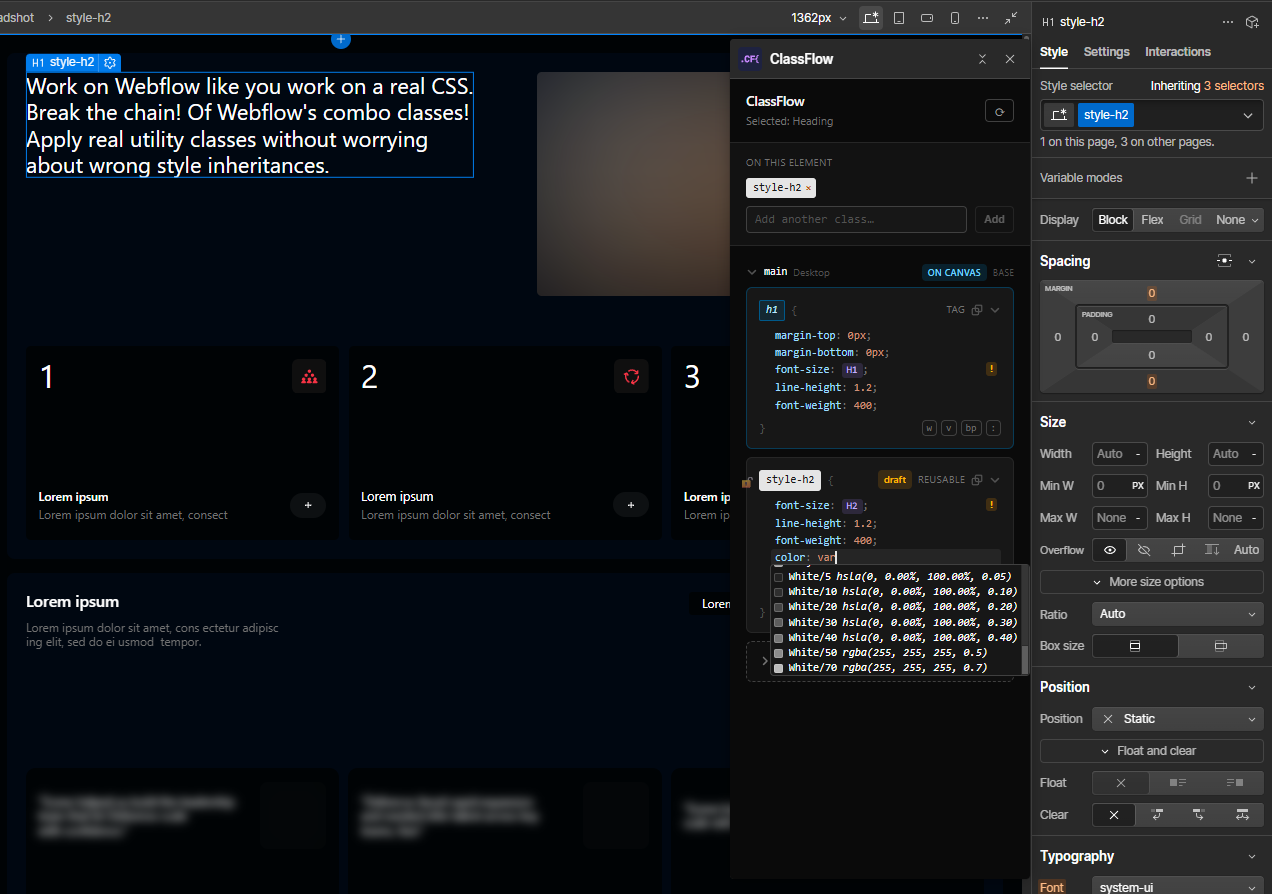
Variables, as values. Bind a Webflow variable from an autocomplete list with colour swatches, and see it as a named chip in the rule instead of an id.
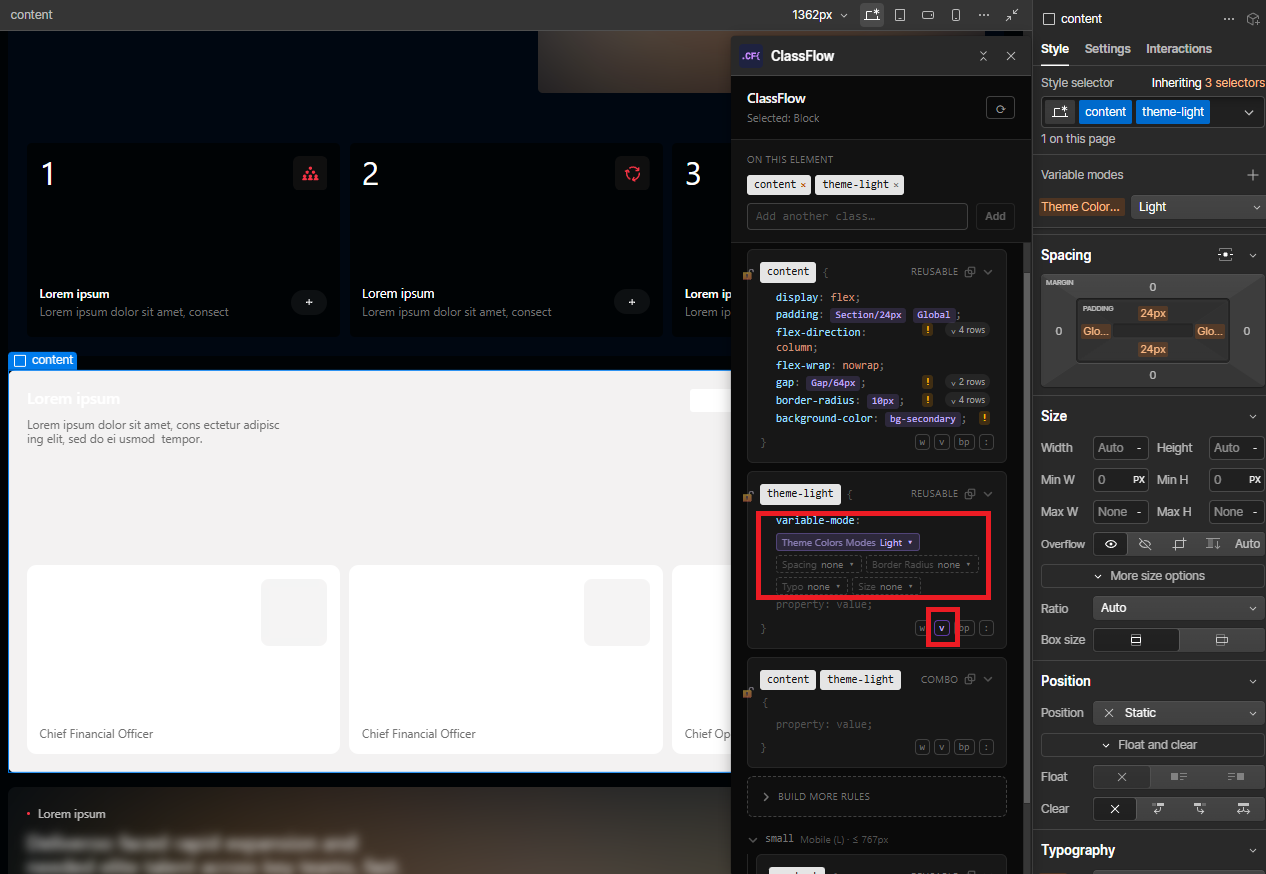
Variable modes, per rule. Pin a variable collection to a mode right on the card, next to the declarations, per breakpoint and per state. That pin is something the rule sets, so it belongs where you can see everything else the rule sets.
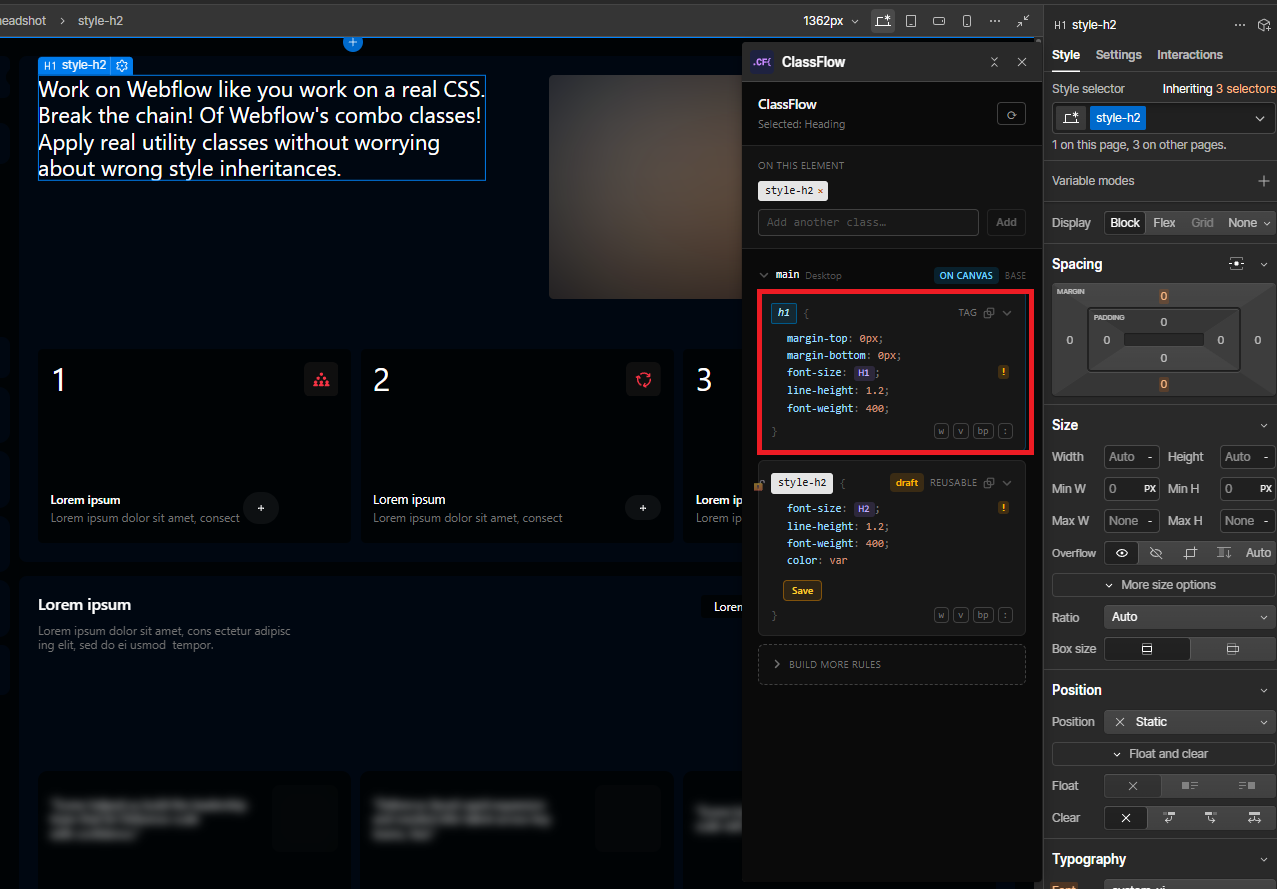
Style tag rules from the element. Select an h2 and edit the site-wide h2 rule from the same panel, without Webflow surprising you with a new “Heading X” class.
Copy the real CSS selector. Not the name you typed, but the selector Webflow actually emits. They aren’t always the same string.
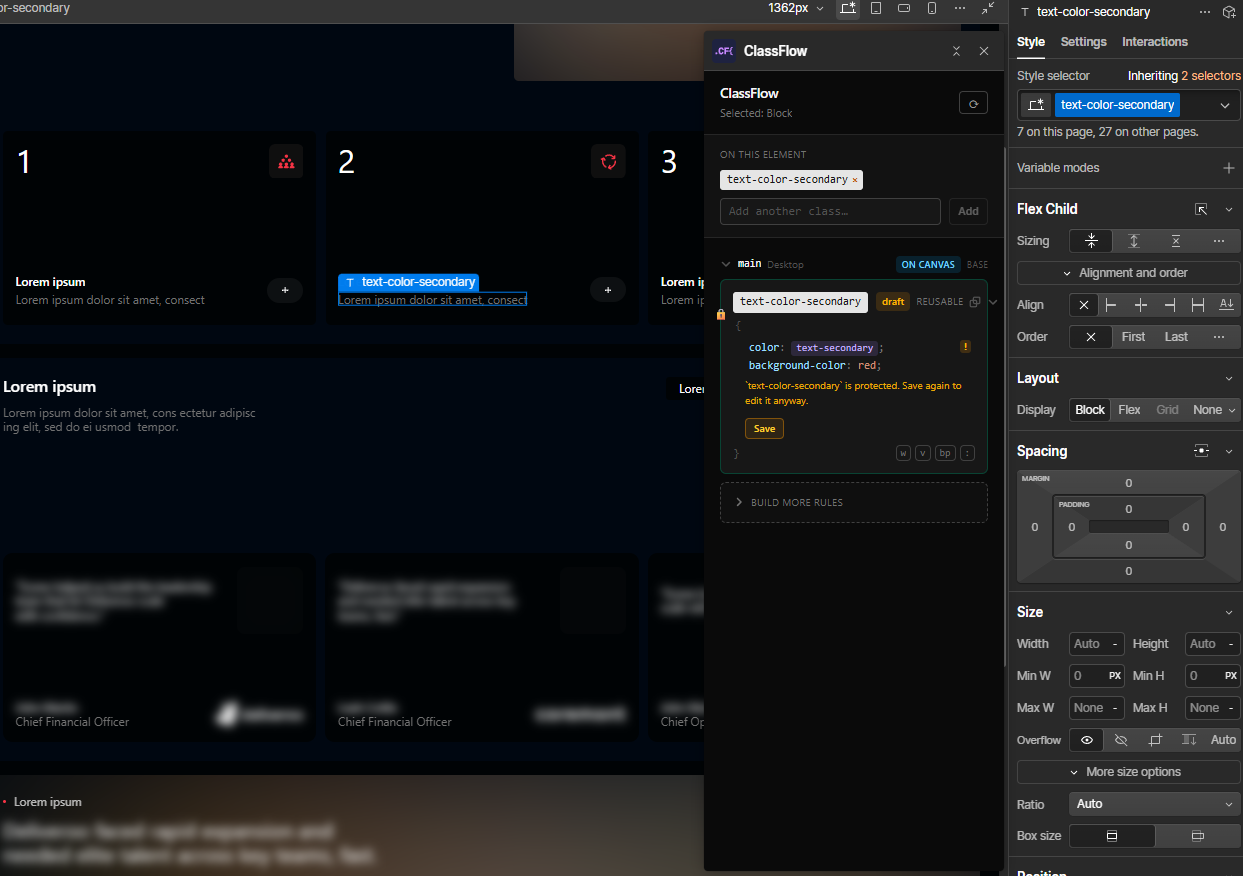
Protect a class. Some classes are load-bearing: the ones half the site is built on, the ones a new teammate has no reason to be careful with. Mark one protected and ClassFlow warns before it lets anyone edit it.
The mark lives on the site, not on your machine, so it’s there for whoever opens the project next. Think seatbelt, not lock. ClassFlow is the one asking the question, so an edit made in Webflow’s own Style panel goes straight through. The point is to make a careless change deliberate, not to make it impossible.
And when ClassFlow can’t do something, it says so and hands you over. One button drops you into Webflow’s own Style panel, aimed at the exact rule you were editing.
What ClassFlow can’t do
An honest list. Most of these are limits of Webflow’s extension API rather than of Webflow itself, and where that’s true, ClassFlow tells you and sends you to the Style panel instead of writing something it can’t stand behind.
Expressions wrapped around a variable. calc(var(--space) + 20px) stores fine and your site renders it correctly, but the API hands it back as just var(--space), with the arithmetic gone. ClassFlow can’t read what it can’t see, and saving over it would destroy what you wrote. So it marks those lines, leaves them alone, and offers to open Webflow’s own field, where the full value is visible.
Adding a class that other classes are already built on. If .card has combos hanging off it, the API refuses to add card to another element, or to use it as the last name in a new rule. Webflow’s own Style panel has no such limit: same Webflow, different door. ClassFlow predicts the refusal before you click, and offers you that door.
A few properties Webflow stores but shows nowhere. transition-delay is real CSS and it’s emitted correctly, but no Webflow interface admits it exists. ClassFlow refuses to write those rather than leave you with a rule you can never find, edit, or delete.
Undo. Every change goes through Webflow, so Webflow’s undo is the undo. ClassFlow doesn’t keep its own history.
States Webflow’s panel doesn’t expose. :hover, :active and :focus are all there. ::before, :nth-child and the rest are not, because you couldn’t maintain them in the Designer afterwards.
Rich-text nested rules. A rule scoped inside a rich text block isn’t shown. The site-wide tag rule is.
Contact us
Hey, it's Mico from the Philippines. I built ClassFlow because Webflow's combo chain kept biting me on my own projects, and I got tired of hunting for rules that weren't where I thought they were.
If you've found a bug, or something behaved in a way that surprised you, please tell me. The surprising ones are the most useful. Same address for anything else: a feature you wish it had, a Webflow quirk you've hit, or just to say it helped.
Email me at micoirvin@gmail.com. You can also follow me on social media (links below).
Support our work
ClassFlow is free. If it helped you build cleaner, more scalable CSS on your Webflow project, you can buy me a coffee.
Support ClassFlow